Algorithms
The ensemble toolkit includes various algorithms for dimension reduction that can be imported directly into parameter space. Other algorithms could in the future be incorporated in a similar fashion.
Dimension Reduction
A variety of dimension reduction techniques can be applied to simulation output using the reduce.py script, inlcuding PCA, Isomap, tSNE, and deep learning auto-encoders. In this section we show an example using only the final time step of the phase-field simulation data with PCA, Isomap, and tSNE. We will import our results into a parameter space model.
First, we generate images of the final time step from the dataset.
python -m slypi.ensemble.convert --ensemble example-data/spinodal/workdir.%d --input-files out.cahn_hilliard_50000000.npz --output-dir example-data/spinodal-out --output-format jpg --over-write --csv-out end-state.csv --csv-header "End State" --plugin convert --suffix phase_field
This command creates .jpg files in the spinodal-out directory that we can later reference in
the parameter space model using file pointers. Next, we compute PCA with auto-correlation
using the reduce.py script.
python -m slypi.ensemble.reduce --ensemble example-data/spinodal/workdir.%d --input-files out.cahn_hilliard_50000000.npz --output-dir example-data/spinodal-out --output-file out.cahn_hilliard_PCA.rd.npy --algorithm PCA --num-dim 2 --over-write --auto-correlate --binary --xy-out auto-PCA-end-state.csv --xy-header "Auto-PCA End State" --xy-ps-tag
We can also compute Isomap as follows. The option –xy-ps-tag inserts tags recognized by parameter space that allow the user to select an (x,y) pair of coordinates to display in the scatter plot.
python -m slypi.ensemble.reduce --ensemble example-data/spinodal/workdir.%d --input-files out.cahn_hilliard_50000000.npz --output-dir example-data/spinodal-out --output-file out.cahn_hilliard_Isomap.rd.npy --algorithm Isomap --num-dim 2 --over-write --auto-correlate --binary --xy-out auto-Isomap-end-state.csv --xy-header "Auto-Isomap End State" --xy-ps-tag
Then we can combine the results of PCA and Isomap into a single table.
python -m slypi.ensemble.table --join example-data/spinodal/metadata.csv example-data/spinodal-out/movies.csv example-data/spinodal-out/end-state.csv example-data/spinodal-out/auto-PCA-end-state.csv example-data/spinodal-out/auto-Isomap-end-state.csv --output-dir example-data/spinodal-out --ignore-index --csv-out ps-PCA-Isomap.csv --csv-no-index --over-write
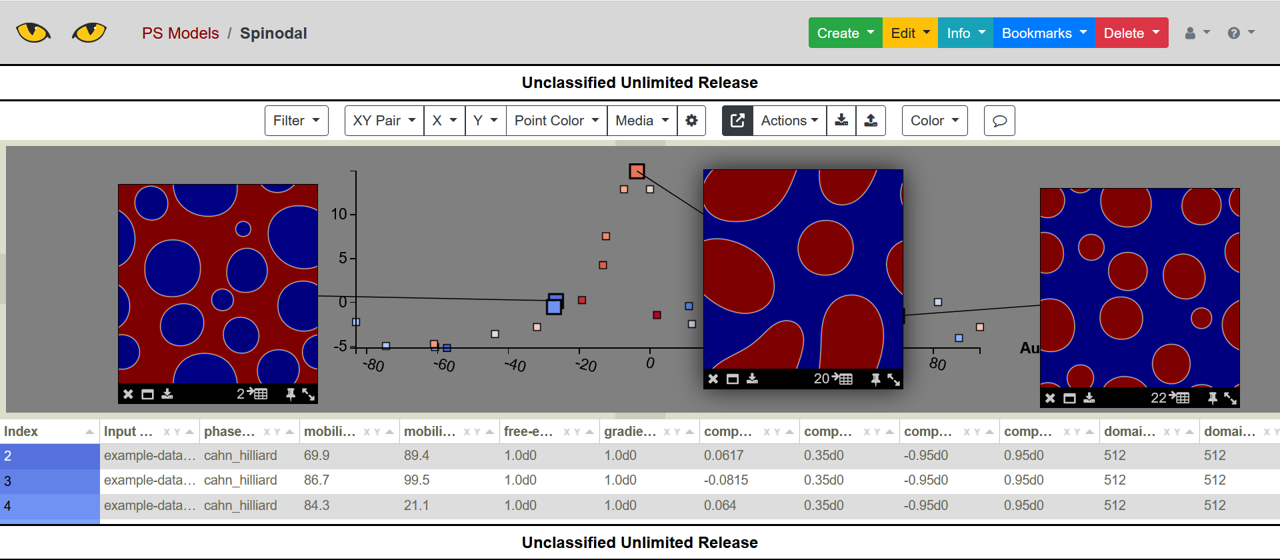
Finally, this table can be uploaded to Slycat as a parameter space model.
python -m slypi.ps.upload_csv example-data/spinodal-out/ps-PCA-Isomap.csv --marking uur --project-name "PS Models"
reduce.py
Here are the full set of options for reduce.py. In the above example, we are using
the default parameter space plugin.
python -m slypi.ensemble.reduce --help
usage: reduce.py [-h] [--log-level {debug,info,warning,error,critical}]
                 [--log-file LOG_FILE] [--plugin PLUGIN] [--ensemble ENSEMBLE]
                 [--input-files INPUT_FILES] [--csv-file CSV_FILE]
                 [--csv-col CSV_COL] [--input-format INPUT_FORMAT]
                 [--input-model INPUT_MODEL] [--output-dir OUTPUT_DIR]
                 [--output-file OUTPUT_FILE] [--output-model OUTPUT_MODEL]
                 [--over-write] [--csv-out CSV_OUT] [--csv-header CSV_HEADER]
                 [--xy-out XY_OUT] [--xy-header XY_HEADER] [--xy-ps-tag]
                 [--file-batch-size FILE_BATCH_SIZE] [--parallel]
                 [--restart RESTART]

Performs dimemsion reduction on ensemble data. Uses Python-like %d[::]
notation, where %d[::] specifies a range of numbers in a file name. For
example "time_step_%d[0:10:2].vtp" would specify every other file from
"time_step_0.vtp" to "time_step_9.vtp". If individual time steps are provided
as input, the results are combined into a single matrix and output. The output
file extension is .rd.npy.

options:
  -h, --help            show this help message and exit
  --log-level {debug,info,warning,error,critical}
                        Log level. Default: 'info'
  --log-file LOG_FILE   Log to file. Notes: (1) If this file already exists it
                        will be overwritten, (2) Log file includes time stamp
                        and is set to debug level
  --plugin PLUGIN       Plugin Python file name to import (defaults to 'ps'),
                        can be either a plugin from slypi/ensemble/plugins (no
                        extension) or a python file (.py extension). Use
                        "python -m slypi.ensemble.plugins.plugin --help" to
                        see any command line options for the plugin.
  --ensemble ENSEMBLE   Directory or directories to include in ensemble,
                        specified using the Python like %d[::] notation
                        described above.
  --input-files INPUT_FILES
                        Files per ensemble directory to use as input for
                        reduction, specified using %d[::] notation. Note that
                        these files will be pre-fixed by the ensemble
                        directories.
  --csv-file CSV_FILE   CSV file which specifies ensemble directories and
                        input files (alternate to using --ensemble and
                        --input-files).
  --csv-col CSV_COL     Column in CSV file where input files are specified,
                        can be either a string or an integer (1-based).
  --input-format INPUT_FORMAT
                        Format for input files (optional, inferred from file
                        extension if not provided).
  --input-model INPUT_MODEL
                        Input dimension reduction model from .pkl file (do not
                        train a new model).
  --output-dir OUTPUT_DIR
                        Directory to place output. All files will be stored
                        using directories that mirror those specified by
                        --ensemble.
  --output-file OUTPUT_FILE
                        File name for reduced data, the same name is used for
                        each simulation.
  --output-model OUTPUT_MODEL
                        Output dimension reduction model to provided file (in
                        output directory).
  --over-write          Over-write output directory if already present.
  --csv-out CSV_OUT     File name of output .csv file with file links for
                        reduced files (optional). Will be written to output
                        directory.
  --csv-header CSV_HEADER
                        Name of output files header, needed only if writing
                        out a .csv file.
  --xy-out XY_OUT       File name of output .csv file with the (x,y)
                        coordinates (optional). Will be written to output
                        directory.
  --xy-header XY_HEADER
                        Root name of header for (x,y) coordinates columns in
                        .csv file.
  --xy-ps-tag           Add [XY Pair] tag to (x,y) header output for parameter
                        space models.
  --file-batch-size FILE_BATCH_SIZE
                        Train reduction model incrementally using batches of
                        files. Not available for all algorithms, see
                        slypi.ensemble.algorithms.reduction --help for
                        options.
  --parallel            Use ipyparallel (must be available and running).
  --restart RESTART     File name to save intermediate results and then
                        restart from a crash (must also specify --output-
                        model).
The reduction algorithms themselves are specified using the reduction.py options.
python -m slypi.ensemble.algorithms.reduction --help
usage: reduction.py [-h] [--algorithm {PCA,incremental-PCA,Isomap,tSNE,Umap}]
                    [--pre-process {standard,minmax}] [--num-dim NUM_DIM]
                    [--time-align TIME_ALIGN] [--whiten]

Dimension reduction support for the slypi ensemble tools.

options:
  -h, --help            show this help message and exit
  --algorithm {PCA,incremental-PCA,Isomap,tSNE,Umap}
                        Dimension reduction algorithm to apply. Options are:
                        {PCA, incremental-PCA, Isomap, tSNE, Umap}.
  --pre-process {standard,minmax}
                        Preprocessing for dimension reduction. Options are:
                        {standard, minmax}.
  --num-dim NUM_DIM     Number of desired dimensions in reduction.
  --time-align TIME_ALIGN
                        Train reduction model per time step to given dimension
                        then align using Kabsch algorithm.
  --whiten              Whiten before PCA.